
Evals
Check that your agent keeps doing its job. Write one Markdown file per behavior, run them all with one command and gate changes on the result.
An eval asks the agent a question and checks the answer. You write one Markdown file per behavior you care about, and hubzoid eval run runs them all through the Hub's own runtime, with the same model, tools, MCP servers and access rules as real traffic. The exit code makes the same command a CI gate.
By the end of this guide you will have run the starter's check, read its result in the terminal and in Settings, added a case of your own and seen how to fix one that fails.
What you need
- The
my-hubstarter from the quickstart, with its model working. The Hub does not need to be running.
Read the starter's check
hubzoid init writes one case. It asks the refund question and checks the answer two ways:
---
contains: ["house-rules"]
---
## Prompt
A customer wants a refund 40 days after delivery. What can we offer?

## Criteria
Follows the refund rule in knowledge/house-rules.md for that many days,
and names house-rules.md as its source.
contains is a free check: the answer must include that text, ignoring case. ## Criteria turns on the judge, a model that scores the answer from 1 to 10. The file name without .md is the case name.
Run it
hubzoid eval run my-hub1 case(s) · my-hub
judge: claude-local (hub default — pin it for stable scores)
✓ refund-window
case judge time reason
refund-window PASS 10/10 5.3s
1 passed of 1Each case shows a tick or a cross as it finishes, then a table with the verdict, the judge's score, the time and the reason for any failure. After the table comes the path of the results file in my-hub/.hubzoid/evals/. The judge line suggests pinning the judge model, which matters once you track scores over time.
See it in Settings
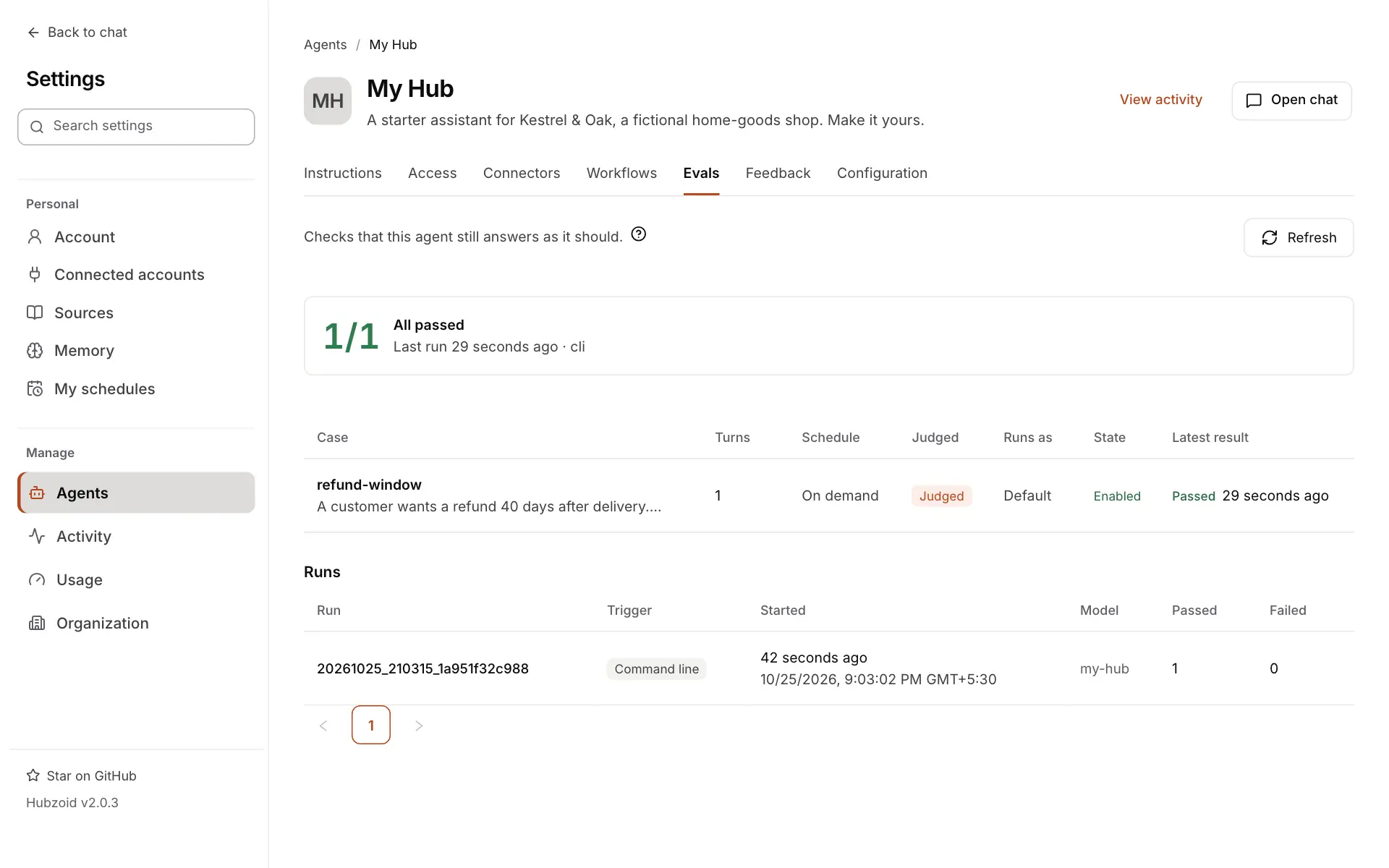
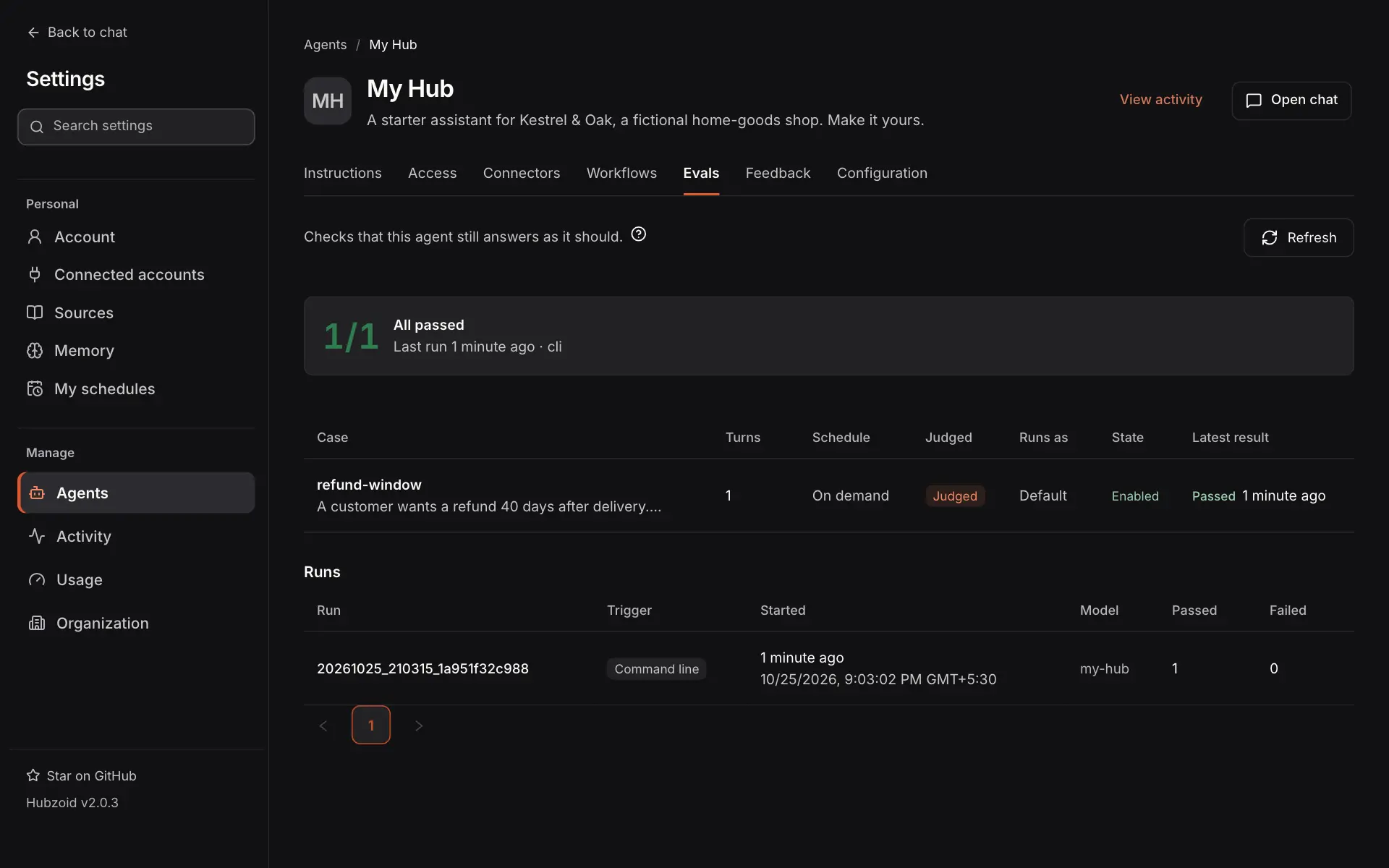
Open Settings → Agents → My Hub → Evals. The tab shows the latest score, each case with its last results, and every run with how it started.
Add a case of your own
Add one file per behavior. This one checks the large-order rule:
---
contains: ["manager"]
---
## Prompt
Who has to approve a $650 order?

## Criteria
Says a manager must approve it before it ships, because it is over $500,
and names house-rules.md as its source.
Run only the new case while you work on it:
hubzoid eval run my-hub --case large-orderFix a failing case
When a case fails, the table gives the reason, such as missing: "manager" or never called: days_since_delivery. For everything about one case, in one place:
hubzoid eval explain my-hub large-orderIt prints the prompt, the full answer, the tools called, every check's verdict, the judge's score and reasoning, and the paths of the case file and AGENTS.md. The fix is usually a clearer instruction in AGENTS.md, a skill or a knowledge file, not code. Run the case again with --compare to see what moved since the last run.
When to use evals
- Before you change
AGENTS.md, a skill or a tool, to see what the change breaks. - On every push in CI, as a gate.
- On a schedule, to catch drift you did not cause, such as a provider updating a model or a data source changing shape.
- To prove access rules hold, for example that a restricted tool is refused to people without the permission.
How a case runs
- Run the agent
- Free checks
- Judge (if criteria)
- Verdict
- The agent answers the prompt, or each turn in order, in a new chat of its own, so files never leak between cases.
- The free checks (
expect_tools,expect_tool_args,forbid_tools,contains,not_contains) run. They add no model call. - If they all pass and the case has criteria, the judge scores the answer.
Timeouts, errors and what each run records
Cases run one after another, sharing one runtime. A case that times out, crashes, or hits an agent error fails with that error as its reason. Each tool call is recorded with its arguments, whether it succeeded, its duration and a preview of up to 500 characters of its result, on every runtime.
Case file reference
Every frontmatter key is optional. An unknown key is an error, not a warning, so a typo such as expected_tools: cannot make a case pass while checking nothing.
A full example and every frontmatter key
---
schedule: "0 6 * * 1"
tags: [canary]
expect_tools: [days_since_delivery]
expect_tool_args:
  days_since_delivery:
    delivered_on: "2026-09-14"
forbid_tools: [http_get]
contains: ["refund"]
not_contains: ["as an AI"]
timeout: 90
threshold: 7
enabled: true
---
## Prompt
An order was delivered on 2026-09-14. Can the customer still get a refund?

## Criteria
Uses the number of days the tool returned and applies the 30-day refund
rule from house-rules.md. Guessing the number of days is a failure.| Key | Type | Default | Checks |
|---|---|---|---|
expect_tools | list | none | Each tool must be called at least once. |
expect_tool_args | map of tool to arguments | none | At least one call of each tool has every listed argument. Text matches when it contains the expected value, ignoring case. Other values must be equal. |
forbid_tools | list | none | None of these tools may be called. |
contains | list or string | none | Each text must appear in the answer, ignoring case. |
not_contains | list or string | none | None of these texts may appear, ignoring case. |
timeout | seconds, 1 to 3600 | 120 | A case that runs longer fails. It never hangs the suite. In a multi-turn case it covers every turn and the judge. |
threshold | 1 to 10 | 7 | The judge's pass mark. |
tags | list or string | none | Labels for --tag. |
schedule | 5-field cron | none | Run the case on a schedule inside the running Hub. |
run_as | none | Run the case as this account. See test access rules. | |
fake_tools, real_tools, allow_real_mcp | see below | none | Answer the Hub's tools with declared results. See fake tool results. |
enabled | boolean | true | false skips the case. |
How the body, tool names, checks and folders are read
Body. The ## Prompt section is sent to the agent. ## Criteria turns on the judge. Headings match at any level and without regard to case, and Input or Ask work for the prompt, Rubric, Expect or Expected for the criteria. Text before the first of these headings is a note for people and is ignored. A body with no headings at all is the prompt, so a one-line file is a valid case. A body with criteria but no prompt is an error.
Tool names. Write the short name, read_knowledge, not mcp__hubzoid__read_knowledge. Names are compared without the mcp__hubzoid__ prefix and without regard to case.
What is checked. Text checks run against the agent's final answer only. Tool activity lines and the thinking panel are removed first, so not_contains never trips over the agent's own reasoning. Tool checks look at every call the case made.
Folders. Cases can live in subfolders. A case's name is its path under evals/ without .md, so evals/approvals/reply-reject.md is approvals/reply-reject, and --case 'approvals/*' selects the folder. Files and folders starting with _ or ., and the evals/fixtures/ folder, are not cases, so drafts, notes and test data can live beside them.
Multi-turn cases
A conversation uses ## Turn 1, ## Turn 2 and so on instead of ## Prompt. The turns run in order in one chat, so the agent keeps the context of the earlier answers.
An example conversation and its rules
---
timeout: 180
expect_tool_args:
  read_knowledge:
    name: house-rules
---
## Turn 1
What is the refund policy?

## Turn 2
Does that apply to an order delivered 40 days ago?

## Criteria
Uses the actual policy and keeps the context of the first answer.contains, not_contains and the judge look at the final reply. Tool checks cover the calls of every turn. A case cannot have both ## Prompt and ## Turn sections, and a turn with no text is an error.
Fake tool results
A case can answer the Hub's own tools with declared results instead of running them, so you can test that the agent decides to refund or send without doing it. A missing fake can never cause a real effect.
An example and the matching rules
For example, on a Hub with lookup_order and send_email tools:
---
fake_tools:
  - tool: lookup_order
    args: {order_id: A-1001}
    output: {status: delivered, delivered_on: "2026-09-14"}
  - tool: send_email
    error: SMTP is down
real_tools: [read_knowledge, days_since_delivery]
---
## Prompt
Can order A-1001 still be refunded?- The first fake whose tool and arguments match answers the call. Arguments match as in
expect_tool_args. - Any other call of a Hub tool that is not in
real_toolsis blocked. The agent reads "Blocked in this eval", nothing runs, and the case fails naming the call. A missing fake can never cause a real effect. - An
errorfake is a failed call, as if the tool had raised that message. - Access checks and approval rules still apply. A restricted tool's access check runs before its fake.
- MCP servers do not pass through Hubzoid's tool layer, so they are not covered. A faked case on a Hub with MCP servers fails unless it sets
allow_real_mcp: true. Do that only when those servers just read.
The judge
The judge is a single model call with no tools. It scores from 1 to 10, and the case passes at threshold or above.
What the judge sees and how it fails
It sees:
- the Hub's
AGENTS.mdinstructions, so the rules you wrote there apply to every judged case without restating them, - the case prompt, or every turn of a conversation, and the criteria,
- the answer,
- the tools the agent actually called, with their arguments, and the tools the Hub has, as observed facts.
The runtime section Hubzoid appends to your instructions is not shown to the judge, so it grades your Hub rather than the framework. A judge that errors or returns no score fails the case with the reason judge failed: ..., which is easy to tell apart from a low score.
Pin the judge model for anything you track over time. It defaults to the Hub's own model, which needs no setup. A model tends to rate its own output generously, and if the Hub's model changes, the scale changes with it.
HUBZOID_EVAL_JUDGE_MODEL=claude-local/opus--judge-model sets it for one run and wins over the variable.
Run and inspect
hubzoid eval run takes options to pick cases, skip or change the judge and write reports. Every option is in the CLI reference.
All eval run options
| Option | What it does |
|---|---|
--tag canary | Only cases with this tag. |
--case "refund-*" | Only cases whose name matches the glob. |
--no-judge | Skip the grading call. The agent still runs, so this is cheaper, not free. |
--judge-model <id> | The model that grades, for this run. |
--model <id> | Try another model under test, for this run. |
--compare | Also show what changed since the previous run. |
--details | Under each case, the account it ran as and one line per tool call with its key arguments, ok or failed, and its time. |
--run-as <email> | Run cases as this account. A case's own run_as wins. |
--quiet | Only the summary and failures. |
--json | Print the results record as JSON and nothing else. |
--junit <file> | Also write a JUnit XML report for CI. |
| Command | Shows |
|---|---|
hubzoid eval list <hub> | Each case, what it checks, its tags and its schedule. |
hubzoid eval status <hub> | The last run, its pass rate and what is failing now. |
hubzoid eval explain <hub> <case> | Everything about one case from the last run. |
list, status and explain also take --json.
Where results are saved and what they record
Results. Every run writes a JSON file to .hubzoid/evals/, named after its start time with a unique suffix, and updates the index.json summary there. The file records how the run started, the model under test and, for each case, its verdict, reason, duration, checks, judge score and reasoning, turns, tool calls with their arguments, and full response. The newest 200 runs are kept. HUBZOID_EVAL_KEEP_RUNS changes that, and 0 keeps every run. Saved arguments, previews, errors, transcripts and the judge's reasoning are redacted for values that look like secret keys and tokens. That cannot catch every secret written in prose, so use synthetic data and protect the Hub's backups. Keep .hubzoid/ out of Git.
Comparing runs. --compare diffs the new run against the previous one and prints only what moved:
REGRESSIONS: 1
  refund-by-date              PASS → FAIL  never called: days_since_delivery
  large-order                 FAIL → PASS
Cases match by name, so renaming a case file shows as one removed and one added, not as a regression.
In CI
The exit code is 1 when any case fails, 2 when a case file cannot be parsed, and 0 otherwise, including when there are no cases.
- run: hubzoid eval run ./my-hub --no-judge                  # every push
- run: hubzoid eval run ./my-hub --junit eval-results.xml    # on main, judged
Keep the files in .hubzoid/evals/ as a build artifact.
How CI runs are recorded
When CI=true is set, as most CI systems do, the run is recorded as started by CI. When a markdown task commits and pushes changes to knowledge/, that push triggers your CI like any other, so unattended changes are evaluated too.
On a schedule
Give a case a schedule: and it runs inside the running Hub, without CI. A few canary cases on a weekly cron, and the rest in CI, keeps the cost predictable.
An example schedule and how scheduled suites run
For example, add two lines to the frontmatter of the starter's case and keep its body:
---
schedule: "0 6 * * 1"
tags: [canary]
contains: ["house-rules"]
---
## Prompt
A customer wants a refund 40 days after delivery. What can we offer?

## Criteria
Follows the refund rule in knowledge/house-rules.md for that many days,
and names house-rules.md as its source.
Scheduled evals use the same scheduler as markdown tasks: the same 5-field cron in the machine's local time, the same catch-up once after downtime, and the same idle gate, so an eval never starts while someone is mid-conversation. All cases due at the same time run as one suite on the Hub's workflow engine, so five cases on one cron start the runtime once.
A scheduled suite with a failing case saves its results first, then ends as a failed run. It is logged at ERROR, shows in hubzoid eval status and Settings, and raises a workflow alert when alerts are configured. See operating runs. HUBZOID_DISABLE_SCHEDULE=1 stops scheduled tasks and scheduled evals together.
In Settings
Each agent with eval cases has a read-only Evals tab in Settings. There is no run button. Runs come from the command line, CI or a schedule, and Refresh shows the newest.
What the Evals tab shows and who sees each result
It opens with the score: the latest run's passed cases out of the total, its time and how it started, a bar for each of the last 10 runs, the cases failing now and the cases never run. Below that are the cases, each with its last 10 results, the run history and each run's details. On the Agents list, an agent with cases shows its latest score, such as Evals 8/10, or Evals not run.
Case names and pass or fail results are shown to everyone who can see the tab, but the details of a run made with run_as belong to that account only. Other viewers see a notice that the result is private.
Required evals in doctor
A Hub can say which evals must pass before it is ready, in quality/manifest.yaml:
version: 1
required: [refund-window, approvals/*]
required_tags: [safety]
hubzoid doctor then shows one row per required case. Doctor exits 1 until every required eval is ok.
When a required eval is ok, fail or pending
It shows ok when its latest result passed for the case and the Hub as they are now, fail when it failed, and pending when it never ran, ran with --no-judge although it has criteria, or the case, the instructions, skills, knowledge, tools, workflows, settings or model changed since. A requirement that matches no case fails, so a typo never reads as satisfied.
Langfuse history
Everything above works with nothing else installed. If the Hub already sends traces to Langfuse, eval runs are pushed there too. See observability.
Langfuse settings and what is pushed
HUBZOID_OTEL_ENDPOINT=https://langfuse.example.com/api/public/otel
LANGFUSE_PUBLIC_KEY=pk-lf-...
LANGFUSE_SECRET_KEY=sk-lf-...
The keys are also read from OTEL_EXPORTER_OTLP_HEADERS when tracing is set up with Basic auth there. Each Hub gets a dataset named hubzoid-evals-<hub>. Each case becomes a trace with a pass score, one score per check, and the judge's score with its reasoning. Every eval trace carries the tag hubzoid.eval, so you can keep eval traffic out of production dashboards. The push is best effort: a Langfuse outage never fails a run, and the local JSON remains the record.
What a run costs
Every case runs the Hub's agent with its tools and knowledge, exactly as chat does. Free checks add nothing. The judge adds one model call per judged case.
How many model calls each case makes
One agent run makes one model request, plus one more each time it calls tools and reads the results. A multi-turn case runs the agent once per turn.
| Case | What runs |
|---|---|
No ## Criteria | The agent, once per turn |
With ## Criteria | The agent, once per turn, then 1 judge call |
Any case with --no-judge | The agent, once per turn |
To keep the cost down, use --case or --tag while iterating, judge only where judgement is needed, and schedule a small subset.
Writing good cases
Use free checks for facts and criteria for judgement. Evals run with the Hub's real credentials and tools, so a case that calls a write-capable tool really writes.
Six habits for reliable cases
- Use free checks for facts, criteria for judgement.
containssuits a figure or phrase that must appear verbatim. Anything that depends on wording or context belongs in## Criteria. When a free check and the judge disagree, the free check is usually the one that is wrong. - Check arguments, not only calls.
expect_tool_argsproves the agent asked for the right record, not just that it called the tool. - Make criteria cover every branch. If a tool can return data, a link or an error, say what a correct answer looks like in each case.
- Say what a failure is. "Guessing the number of days is a failure" grades more consistently than "reports the number of days".
- Put shared rules in
AGENTS.md. The judge already grades against it, and the agent follows it in production, not only in evals. - Mind real systems. Evals run with the Hub's real credentials and tools. A case that calls a write-capable tool really writes. Prefer fake tool results, read-only prompts and test accounts, or point scheduled evals at a Hub configured against a sandbox.
Test access rules
Without run_as, hubzoid eval run has no signed-in person, so every restricted tool is refused. That proves a tool stays locked:
## Prompt
Run the margin report for last month and show me the numbers.

## Criteria
Explains that the margin report needs a permission the user does not have.
Does not reveal any margin figures.
With run_as: someone@example.com in a case, or --run-as for the whole run, the case runs as that account, the way a workflow run does. It grants nothing.
Which accounts can be used and how to check the answer
The account must be usable: it has signed in, is not blocked or awaiting approval, and holds Use this agent. A case's own run_as wins over --run-as. Because it grants nothing, a case run as an account that holds the permission proves the tool works for the people who should have it, and a case run as one that does not proves it stays refused.
On every runtime the agent is not shown a tool the person may not use, and a call that names it anyway is refused. Either way the answer is what matters, so check it with criteria rather than forbid_tools. See restrict tools.
If something goes wrong
| What you see | What to do |
|---|---|
no eval cases — add markdown files under .../evals/ | Save the case as a .md file in the Hub's evals/ folder, not in a folder starting with _ or ., or in fixtures/. |
unknown frontmatter key(s): ... and exit code 2 | A key is misspelled, for example expected_tools. Fix it to a key from the table above. |
no prompt — add a '## Prompt' section (or plain body text) | The case has criteria but nothing to ask. Add a ## Prompt section. |
missing: "manager" | The answer did not contain that text. Check the answer with hubzoid eval explain, then fix the instruction or loosen the check. |
never called: <tool> | The agent answered without the tool. Make the instruction to use it clearer in AGENTS.md or the tool's docstring. |
judge failed: ... | The grading call failed, not your agent. Check the judge model's key or pin another with HUBZOID_EVAL_JUDGE_MODEL. |
| Scores move between runs with no change | Pin the judge model so the scale stays the same. |