Part 2 · Lesson 5 of 9 · 3:22 video
The brain in detail: build your first hub with Hubzoid
Create a hub, add your files and ask your first question.
- Before you start
- Python 3.11 or 3.12, a virtual environment and a configured model. A provider API key may incur charges.
Course content Lesson 5 of 9
- 01Why AI agents need a harness, and how it works
- 02Knowledge and skills: how AI agents use your business knowledge
- 03Tools, connectors and MCP: how AI agents take action
- 04Three types of AI agents, one brain
- 05The brain in detail: build your first hub with Hubzoid
- 06The Ask agent: give your team an AI agent in chat
- 07The daily report: an AI agent workflow on a schedule
- 08Your own Claude, connected through MCP
- 09Access and telemetry: run AI agents for a whole team
Step by step
The commands and files for this lesson, step by step.
Install Hubzoid
Terminal mkdir hubzoid-academy && cd hubzoid-academy python3.12 -m venv .venv source .venv/bin/activate pip install hubzoidRun every command below from
hubzoid-academy/, with the virtual environment active.Get the Wren & Page hub
This is the finished hub from the video. Download the sample code (the button above), then:
Terminal, in hubzoid-academy/ unzip ~/Downloads/wren-page-complete.zip cd wren-page-complete cp wren-page/.env.example wren-page/.env python -c "import secrets; print(secrets.token_urlsafe(32))"Open
wren-page/.envand setBRIDGE_API_KEYSto the value it printed. To build your own hub instead, see Try it.Walk the folder
The complete Wren & Page hub:
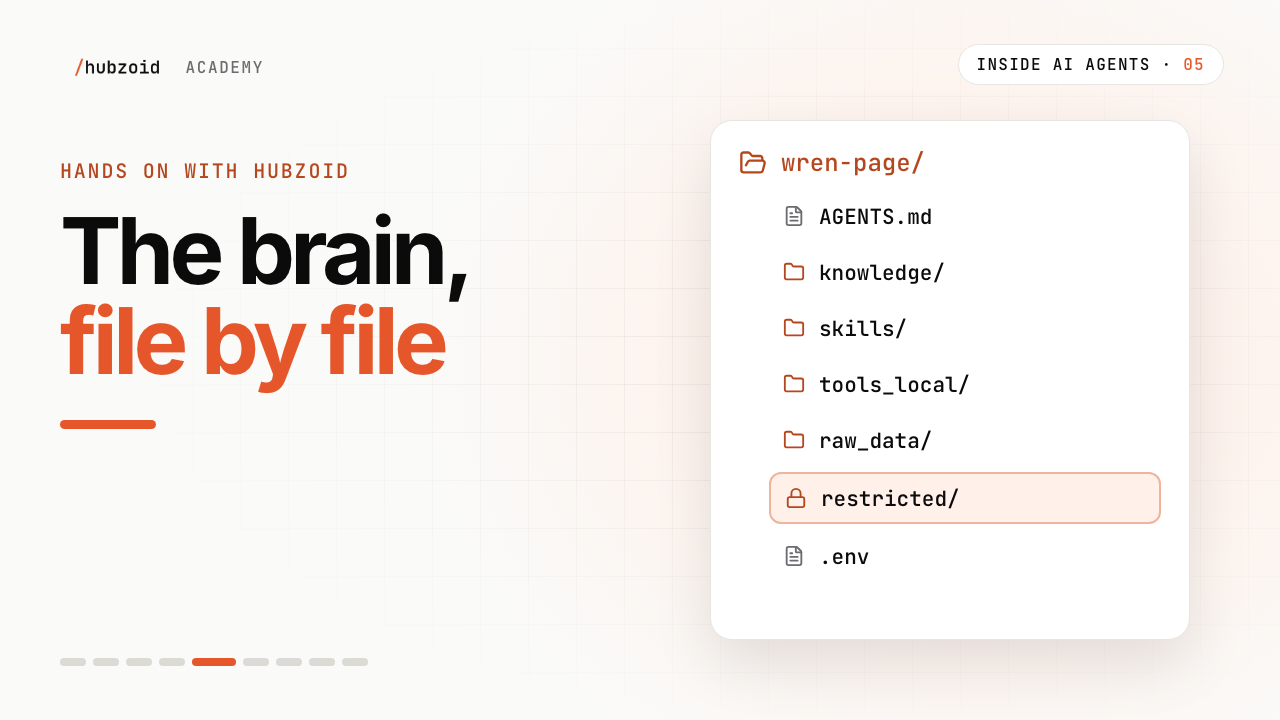
wren-page/AGENTS.mdwho the agent is, and how it worksknowledge/what is true, one topic per fileskills/how the work is done, step by steptools_local/your Python toolsraw_data/big files the agent searchesconnectors/MCP servers, in .mcp.jsonrestricted/tools only named people may useworkflows/code that runs on a schedule (lesson 7)schedule/plain-English tasks (lesson 7).envthe model and settings, never in git
AGENTS.md --- name: Wren & Page description: The Wren & Page shop assistant. suggestions: - How did each branch do yesterday? - Is anything running low at Riverside? - What's our returns policy? --- You help the team at Wren & Page, an independent bookshop with four branches: Riverside, Old Town, Station Road and Harbour. - Answer from the shop's knowledge and tools, not from memory. - Say which file each answer came from. - Keep answers short: the number first, then one line of context. - If something is unclear, ask before you guess. - This is sample data that ends on 26 September 2026. Treat that day as yesterday.Your skill and your tool
A skill from lesson 2 goes into
skills/as it is. A tool from lesson 3 goes intotools_local/with two added lines:tools_local/check_stock.py import csv from pathlib import Path from agents import function_tool STOCK = Path(__file__).parent.parent / "raw_data" / "stock.csv" @function_tool def check_stock(title: str, branch: str) -> dict: """Copies on hand for one title at one branch.""" for row in csv.DictReader(STOCK.open()): if row["title"] == title and row["branch"] == branch: return {"copies": int(row["copies"]), "counted_at": row["counted_at"]} return {"error": "No stock record for that title and branch."}The hub finds every decorated function in
tools_local/when it starts.Your model: one line in .env
wren-page/.env # Your own Claude Code login and plan. No API key. MODEL=claude-local # Or your own Codex login # MODEL=codex-local # For a team, use an API key instead # ANTHROPIC_API_KEY=sk-ant-... # MODEL=anthropic/claude-sonnet-4-6 # OPENAI_API_KEY=sk-... # MODEL=openai/gpt-4o-mini # OPENROUTER_API_KEY=sk-or-... # MODEL=openrouter/anthropic/claude-haiku-4.5Check it, run it, ask
Terminal, in hubzoid-academy/wren-page-complete/ hubzoid doctor wren-pageWhat you should see (abridged) ✓ AGENTS.md present (hub.agents_md) ✓ .env present (hub.env) ✓ Agent builds: 'Wren & Page' via ClaudeRuntime (runtime.build) ✓ 1 workflow(s) (workflows.definitions) · 1 restricted tool(s) (access.restricted) · hubzoid <version> (deps.versions) ✓ SQLite 3.53.4 (deps.sqlite) ✓ 1 bridge key(s) set (auth.bridge_keys) · Sign-in is off: local mode, whoever opens the web app is the hub's owner (admin@localhost). Fine on this machine. (auth.chat_signin) · Chat UI: Hubzoid web app (ui.mode) ✓ Local mode: the web app stays on 127.0.0.1 (exposure.local_mode) · No deployment key yet; one is created in …/wren-page/.hubzoid/secret.key when first needed. Back it up apart from the data. (deployment.key) ✓ The public port listens on 127.0.0.1; bridges stay on 127.0.0.1 (exposure.bind) · claude-local: uses the local `claude` login (check it with `claude /status`) (model.credentials)Terminal, in hubzoid-academy/wren-page-complete/ hubzoid run wren-pageWhat you should see (abridged) ✓ Hubzoid is ready: http://127.0.0.1:3080 (local mode, sign-in off) Connect Claude Code: claude mcp add --transport http wren-page http://127.0.0.1:3080/mcpThe first start can take a little while. When it is ready, Hubzoid opens the web app in your browser. If it doesn't, open 127.0.0.1:3080 (opens in a new tab). The chat is the Hubzoid web app, so it looks different from the video. Ask "What's our returns policy?" Expect a
read_knowledgestep, then refunds within 30 days, store credit up to 45 days, andreturns-policyas the source.Add a restricted tool
The invoice check reads purchase prices and agreed discounts, so it goes in
restricted/. The file name is the permission:check_invoice.restricted/check_invoice.py (opening lines) """Check a publisher invoice against its purchase order. Restricted: it reads purchase prices and agreed discounts, so it lives in restricted/. The file name is the permission: check_invoice. Until someone is granted check_invoice, the brain won't run it for them. """ from agents import function_tool @function_tool def check_invoice(invoice_id: str) -> dict: """Compare one publisher invoice with its purchase order, line by line, including agreed discounts.""" ...restricted/.env.example # Secrets for restricted tools. Copy to restricted/.env and fill in. # The agent's own file tools cannot open anything in restricted/. SALES_DB_URL=postgresql://user:password@db.internal/wrenandpageUntil someone is granted
check_invoice, their agent doesn't see it. Lesson 9 grants it to Maya.
Exercise
Try it: build your own hub
hubzoid init my-hub --template minimal --model claude-localInitialized hub at ~/hubzoid-academy/my-hub
wrote 20 hub filesThe minimal starter has one small example of each file, such as skills/hello.md and tools_local/hello.py, and its .env is ready to use. Without --template minimal, hubzoid init creates a larger sample: an operations assistant for a fictional shop.
Add your files: your skill in
my-hub/skills/, one knowledge file inmy-hub/knowledge/, and your tool inmy-hub/tools_local/, with the import and the decorator. If the tool reads a CSV, put it inmy-hub/raw_data/.Run
hubzoid doctor my-hub. It should show✓ Agent builds: 'my-hub'. Fix anything marked✗.Run
hubzoid run my-huband ask a question only your files can answer. Stop the Wren & Page hub first, since both use ports 3080 and 8000.
If you're stuck
hubzoid: command not found
Activate the virtual environment: source .venv/bin/activate.
The chat opens but there is no reply
With claude-local, Claude Code must be installed and signed in (claude /status). With an API key, check the key and MODEL in .env, then restart.
My tool doesn't appear
Check it's in tools_local/, with the import and the decorator directly above the function. Run hubzoid doctor, then restart.
The answer doesn't say where it came from
That behaviour comes from AGENTS.md. Add a rule such as "Say which file each answer came from."
Public port 3080 is unavailable on 127.0.0.1
Something else uses the port. Start on another one with hubzoid run wren-page --port 3090. If the message names the bridge port 8000, another hub is probably running: stop it, or add --bridge-port 8010.
Workflows fail on Python 3.12
On Python 3.12 the workflow engine needs SQLite 3.42 or newer. hubzoid doctor shows it as deps.sqlite.
Still stuck? Run hubzoid doctor on your hub, then search GitHub issues (opens in a new tab) with your version and the full error. Setting it up for a team? Request a demo.
Go deeper
- QuickstartInstall, create a hub and ask a first question.
- Project structureEvery folder in a hub, and what it holds.
- Restrict toolsPut a tool behind a named permission.
- ConfigurationEvery setting you can put in .env.
- hubzoid doctorWhat each check means, and how to fix it.
- Agents and modelsChoose a runtime and a model.
Transcript and what the video shows
Intro
Welcome to part two of Inside AI Agents. Now we get hands on. This time, the brain itself, file by file.
Build it on a laptop first
Maya is setting up the shop's brain. She starts on her own laptop, so she can see every piece, and try it before the team does.
Install, and create a hub
You'll need Python, and Claude Code or Codex, logged in. Hubzoid is a Python package. Maya installs it, then creates a hub called wren-page. And there it is. The brain is a folder.
Walk the folder
The new hub comes with small examples. Maya swaps them for the shop's own files.
AGENTS.md holds the main instructions. Who the agent is, and how it should work.
Knowledge holds what's true. The returns policy, the KPI definitions, and more. Each is a markdown file. At the top, a name and a one-line description. That's the menu the model reads. Below it, the policy itself, in plain words.
Skills holds how the work is done. The same kind of header, then the steps.
Raw data holds bigger files, like the stock sheet. And connectors is where MCP servers go, when the brain needs one.
Your skill and your tool
Remember the skills and tools from part one? Here's where yours go. A skill goes in skills. A tool goes in tools_local. Import function tool, and put it above the function. The hub finds it when it starts.
Here, it reads the stock sheet.
Your model
The model is one line in the .env file. Maya chose claude-local. It runs through Claude Code on her laptop, on her own Pro or Max plan. No API key needed. codex-local works the same way. But her plan is for her. When the team uses the brain, it runs on an API key, from Anthropic, OpenAI or OpenRouter.
Run it, and ask
Now start it. Hubzoid run, wren-page. Open the chat in your browser, and ask something only your files can answer. What's our returns policy? Refunds within thirty days, store credit up to forty-five, and it names the file it came from.
Add a restricted tool
Now Maya adds one more tool. The invoice check. It looks up each order in the shop's sales database, and compares it with the publisher's invoice, prices and discounts included. Only a few people should use it.
So it goes in a folder called restricted. The file name becomes the permission. Check invoice. Its secrets, like the database password, go in restricted/.env, which the agent's own file tools can't open. Until someone is granted check invoice, the brain won't run it for them. We'll grant it to Maya later in the series.
A folder you own
So that's the brain, in detail. A folder you own, in plain files. A model you choose. And sensitive tools behind a permission.
Try it and next
Try this. Install Hubzoid, and create a hub. Drop in your skill and your tool. Run it, and ask something only your files can answer. Every file from this video is on the website. The link is in the description.
Next time, the team moves in. Sam gets an account, and starts asking in chat.
What the video shows
- The example hub includes AGENTS.md, knowledge, skills, tools_local, raw_data, connectors and restricted files.
- Restricted prices and discounts stay outside generally readable knowledge.
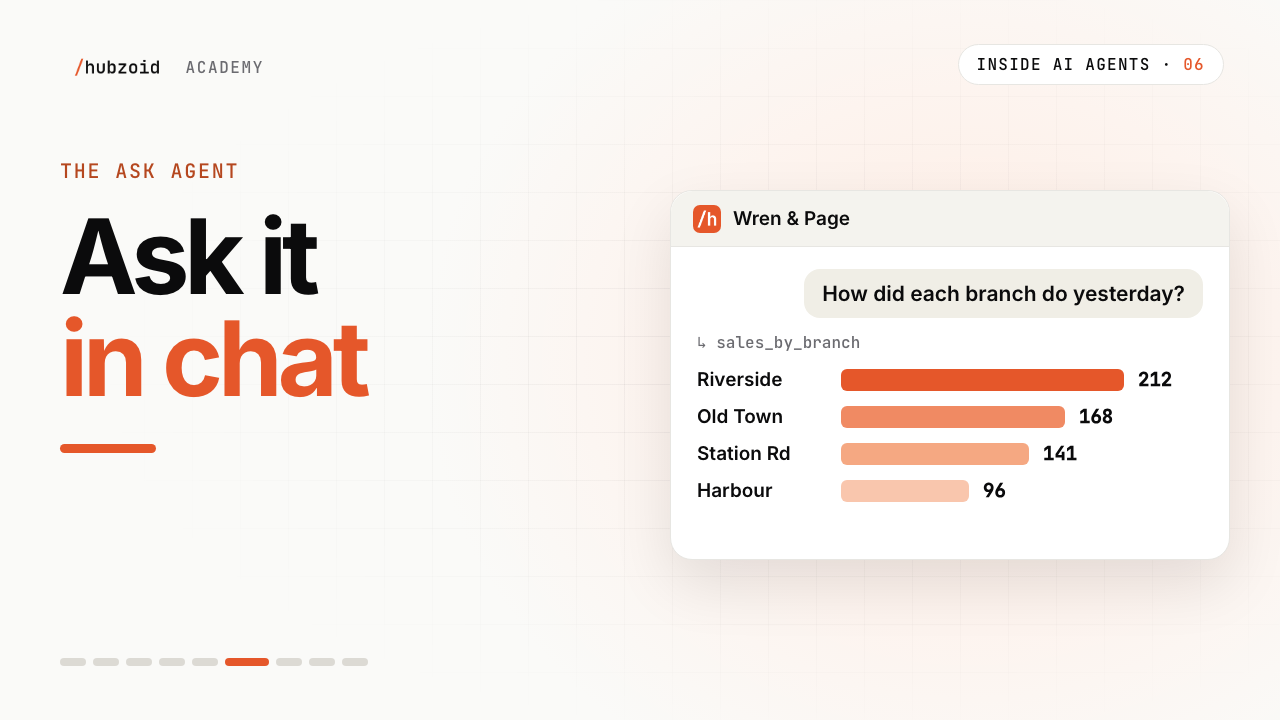 Up next: lesson 6, 2:44The Ask agent: give your team an AI agent in chat