Part 1 · Lesson 4 of 9 · 3:22 video
Three types of AI agents, one brain
Choose what starts a task: a person, a trigger or an assistant.
Course content Lesson 4 of 9
- 01Why AI agents need a harness, and how it works
- 02Knowledge and skills: how AI agents use your business knowledge
- 03Tools, connectors and MCP: how AI agents take action
- 04Three types of AI agents, one brain
- 05The brain in detail: build your first hub with Hubzoid
- 06The Ask agent: give your team an AI agent in chat
- 07The daily report: an AI agent workflow on a schedule
- 08Your own Claude, connected through MCP
- 09Access and telemetry: run AI agents for a whole team
Lesson notes
The ideas from the video, with examples.
What starts the work
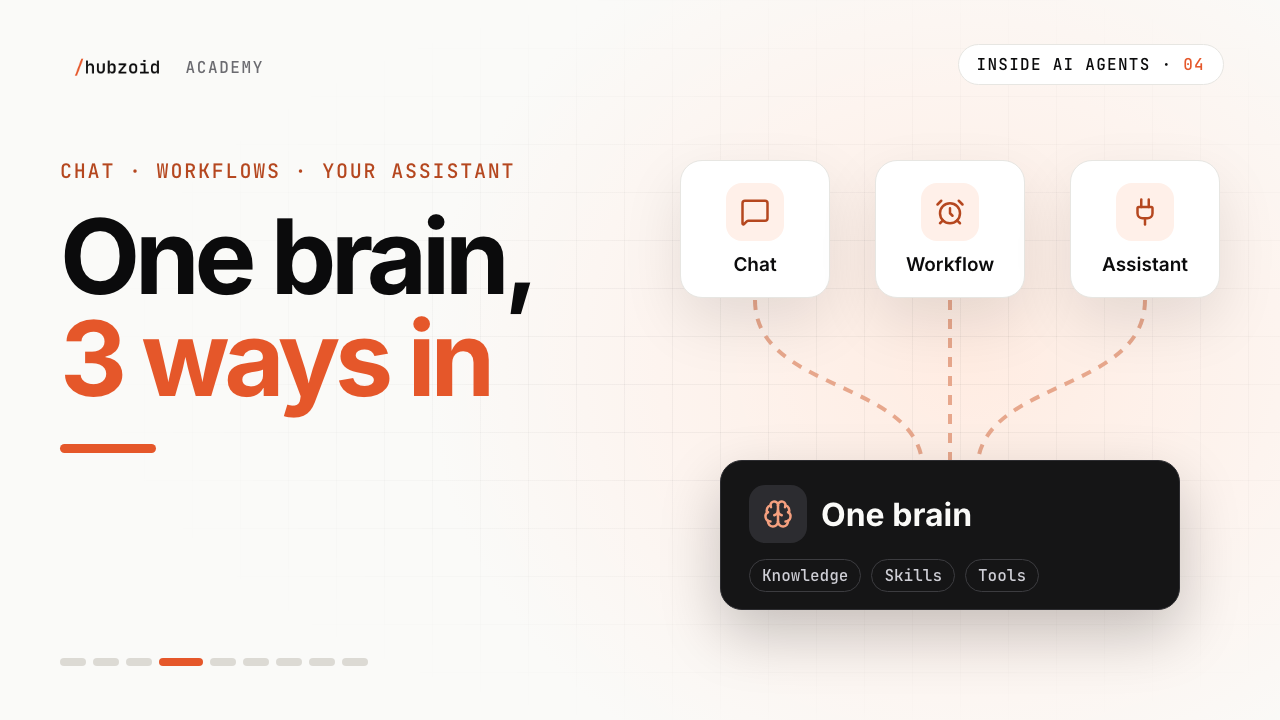
Chat Workflow Your own assistant Started by a person asking a schedule, a webhook, a manual run or a request in chat the assistant a person already uses At Wren & Page Sam asks how each branch did Nora's report at 8:00 Maya asks from her assistant Who runs the model the hub the hub, only in the steps that need it the assistant, with its own model In Hubzoid web chat, Slack, WhatsApp, Telegram workflows/in Python,schedule/in plain Englishthe hub's MCP server Built in lesson 6 lesson 7 lesson 8 One brain, three ways in
All three read the same files. Change the returns policy once, and every way in uses the new version.
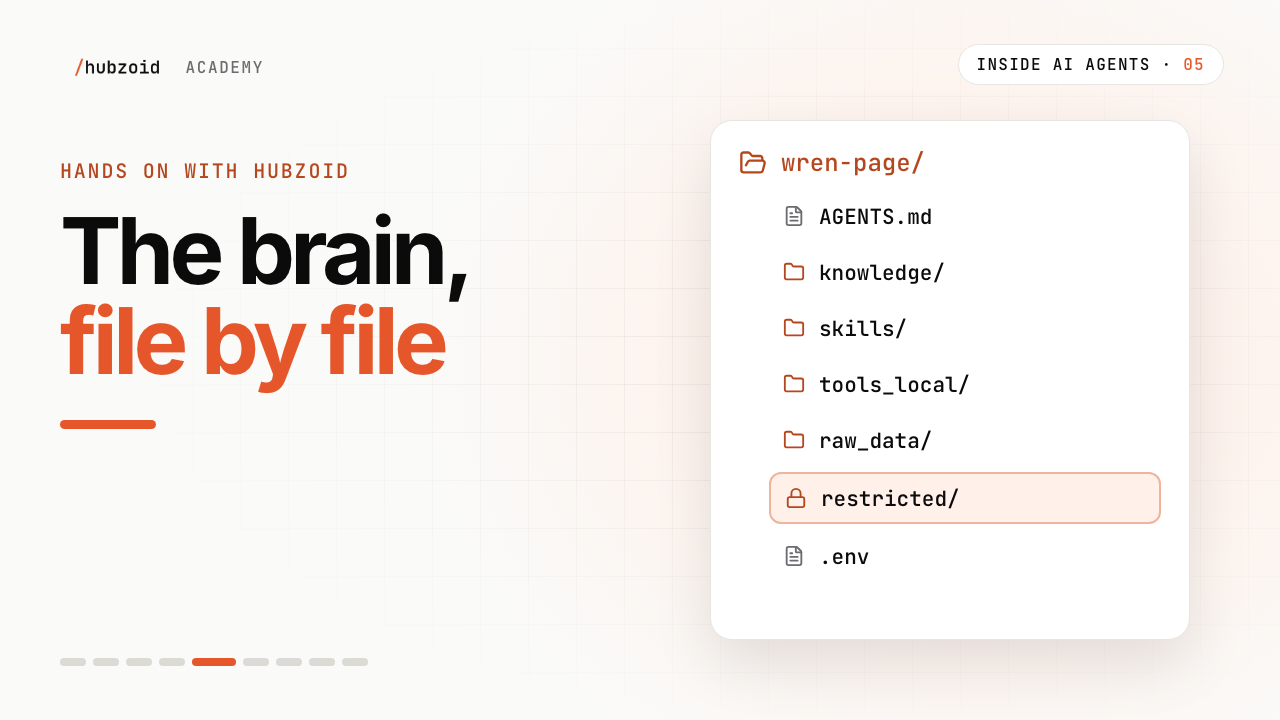
wren-page/one hub, one brainAGENTS.mdinstructions and starter questions for chatknowledge/shared by all threeskills/shared by all threetools_local/shared by all threeworkflows/code that starts on a schedule, a webhook or a requestschedule/plain-English tasks, on a schedule or an event.envsettings, including the MCP server for the third way in
Exercise
Try it: sort your own tasks
List five tasks your team repeats.
For each, ask what starts it: a person, a clock or event, or their own assistant.
Mark the one to build first. The most frequent usually wins.
| Task                          | What starts it        | Way in    |
| ----------------------------- | --------------------- | --------- |
| How did a branch do yesterday | a person asks         | chat      |
| Morning sales report          | 8:00 every day        | workflow  |
| Check a publisher invoice     | Maya, in her own tool | assistant |
If you're stuck
My task fits two ways
That's normal. Start with the way it happens most often, and add the other later on the same brain.
Can a chat message start a workflow?
Yes, when the workflow offers it. A code workflow declared with as_tool=True becomes a chat tool that runs as the person asking, and schedulable=True lets people save their own schedule for it. Both need a grant from an administrator. A workflow also starts on its schedule, from a webhook, or by hand with hubzoid schedule run.
Still stuck? Run hubzoid doctor on your hub, then search GitHub issues (opens in a new tab) with your version and the full error. Setting it up for a team? Request a demo.
Go deeper
- The HubWhat a hub holds, and how the three ways reach it.
- Workflows and schedulesCode workflows, plain-English tasks and triggers.
- Web chatThe chat your team signs in to.
- Connect an assistantReach the hub from Claude Code, Codex and other MCP clients.
Transcript and what the video shows
Intro
Welcome back to Inside AI Agents. So far, we've built the brain. Knowledge, skills and tools. This time, the three ways a team puts it to work.
Three people, three habits
Sam asks questions all day, in chat. Nora wants the morning numbers waiting at eight, without asking anyone. And Maya works in her own AI assistant, like Claude Code or Codex, and doesn't want another window.
The quick fix is three separate agents. Each one gets its own copy of the policies, the steps and the tools.
Remember when the returns policy changed to forty-five days? Now someone has to change it three times. Miss one, and Sam's chat says forty-five, while Nora's report still says sixty. The three agents slowly drift apart.
What actually differs
Look closely, and the three agents are almost the same. Same knowledge. Same skills. Same tools. What really differs is how the work starts.
A person asks
One. A person asks, in the chat they already use. The web, Slack, WhatsApp or Telegram. Sam types, how did each branch do yesterday? The harness runs its loop, and answers right there in the chat. That's a chat agent.
Something else starts it
Two. Nobody asks. Something else starts it. A schedule, like eight every morning. Or an event, like a new order arriving from another system.
The steps run in order. Most are plain code, like pulling yesterday's sales. Where a step needs judgment, like spotting anything unusual, it runs the same harness, with the same brain, just for that step. Then it saves the report, and emails Nora a link. It's in her inbox before the shop opens. That's a workflow. The same steps every time, and thinking only where it's needed.
Your own assistant
Three. Your own assistant connects. Remember MCP from last time? It brought tools into an agent. Here, it runs the other way. The brain offers its knowledge, skills and tools, through MCP. Maya's Claude Code connects, and asks about yesterday's sales, without leaving her window. Her assistant brings its own model. The brain brings what the shop knows.
One brain
So don't build three agents. Build one brain, with three ways in. Change the returns policy once, and the chat, the morning report and Maya's assistant all use it.
And the three ways overlap. Maya can ask in chat in the morning, and from her own assistant in the afternoon. Same brain, both times.
One brain, three ways in
So those are the three types of agents. Really, they're three ways into one brain. A person asks in chat. A schedule or an event starts a workflow. Or your own assistant connects through MCP.
One brain. Three ways in.
Try it, part two and next
Try this. Pick one task from your week. Ask what starts it. A person asking, a clock or an event, or your own assistant. Keep that task in mind.
That's the end of part one. In part two, we get hands on. We'll set all this up with Hubzoid, an open-source platform for your team's internal agents. Your skill and your tool go in first. Next time, we explore the brain, file by file.
What the video shows
- Chat starts with a person, workflows start on demand or from a trigger, and an assistant can call the shared Hub over MCP.
- They can share knowledge and tools while keeping histories, workflow state and permissions separate.
 Up next: lesson 5, 3:22The brain in detail: build your first hub with Hubzoid